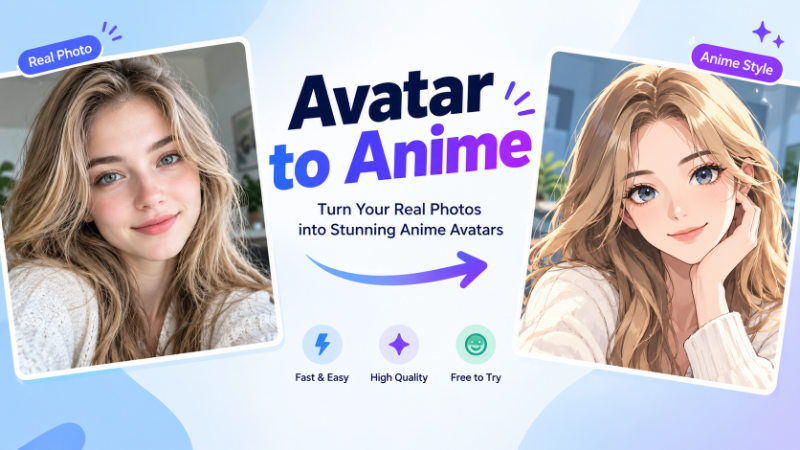
Avatar to anime is one of the most popular AI image searches — people want a fast way to convert a selfie or existing profile picture into Japanese anime art without drawing skills. On FunMedia, that workflow is image-to-image: upload your avatar, describe (or pick) an anime style, and download a profile-ready result.
This guide focuses specifically on the avatar → anime conversion path. For a broader overview of anime avatars, see our AI Anime Style Avatar guide. For Pixar/3D cartoon looks instead of anime, see Photo to 3D Cartoon Avatar.
What Does “Avatar to Anime” Mean?
In practice, avatar to anime means transforming a real photo or current profile image into an anime-style portrait while keeping recognizable features — face shape, hair length, glasses, or outfit cues — so it still feels like you.
AI does this with style transfer / image-to-image models: the uploaded photo is the structure; the prompt or template supplies the anime look (cel shading, large eyes, Japanese illustration aesthetic).
- Input: selfie, LinkedIn headshot, Discord avatar, gaming profile pic
- Output: anime / manga / Japanese illustration style portrait
- Use: Discord, TikTok, Instagram, Steam, VTuber branding, fan accounts
How to Turn an Avatar into Anime on FunMedia
- Open the FunMedia AI Image Generator and sign in.
- Upload your current avatar or a clear front-facing selfie (JPEG/PNG recommended).
- Choose an anime / Japanese avatar template, or paste a custom anime prompt (examples below).
- Submit the task and wait for generation — failed tasks return points automatically.
- Open My Library, download the best result, crop to 1:1 for classic profile use.
- Optional next step: animate the anime still on the Video Generator — see Animate Profile Picture with AI.
Avatar to Anime Prompt Examples
Copy-paste these when converting a profile picture. Keep the subject description light — the photo already defines identity; the prompt should emphasize style.
Classic Japanese anime
- "Japanese anime style portrait, clean cel shading, expressive eyes, soft studio lighting, high detail anime avatar"
- "Manga character portrait, black-and-white ink line art with light screentone, profile picture crop"
- "Shoujo anime illustration, soft pastel colors, sparkling eyes, delicate linework, romantic lighting"
Modern / social-ready looks
- "Modern anime profile picture, VTuber-ready face, vibrant hair color, clean gradient background, Discord avatar style"
- "Cyberpunk anime avatar neon rim light, dark city vibe, sharp eyes, futuristic jacket"
- "Chibi anime avatar, oversized head, cute expression, pastel palette, sticker-friendly"
Seasonal & themed
- "Anime school uniform portrait, soft daylight, cherry blossom background, Japanese high school aesthetic"
- "Fantasy anime warrior avatar, detailed armor, dramatic lighting, RPG character portrait"
More ready-to-use lines: 50 AI Image Prompt Examples. For general style transfer beyond anime, see AI Photo Style Transfer Guide.
Avatar to Anime vs Other Styles
| Goal | Look | Best FunMedia path |
|---|---|---|
| Avatar to anime | Cel shading, Japanese illustration | Image-to-image + anime prompt/template |
| Avatar to 3D cartoon | Pixar / rounded 3D | 3D Cartoon Avatar Guide |
| Anime still → moving avatar | Blinks, hair sway, loops | Animate Profile Picture |
Where to Use Your Anime Avatar
- Discord & gaming — stand out in servers and Steam/Epic profiles
- TikTok & Instagram — anime profile pics for creators and fan accounts
- VTuber / streaming — concept art before full model rigging
- Messaging apps — WhatsApp, Telegram, LINE profile photos
Need a template-first workflow? Read the AI Image Templates Guide.
Tips for Better Avatar-to-Anime Results
- Start with a clean face crop — tight headshot beats a busy full-body photo for profile use.
- Name the style explicitly — “Japanese anime”, “manga”, “VTuber anime” beats vague words like “cartoon”.
- Generate 2–3 variations — small prompt tweaks (hair color intensity, background) often find a better match.
- Keep backgrounds simple — solid or soft gradients read better at small avatar sizes.
- Match platform crop — export square (1:1); platforms often circle-crop the center.
Upload Specs & Points
- Formats: JPEG, PNG (JPEG recommended)
- Up to 6 reference images, max 15MB each, resolution up to 4096×4096
- Aspect ratio between 1:3 and 3:1
Each image task costs points; failed tasks refund. See Pricing for credit packs. Full product overview: AI Image Generator Guide.
FAQ — Avatar to Anime
Can I turn any avatar into anime?
Clear single-person portraits work best. Logos, pets, or heavily stylized memes may not preserve identity well.
Will it still look like me?
Good source photos + prompts that emphasize “same person / likeness” help. Extreme chibi or heavy fantasy styles trade likeness for cuteness.
Is avatar to anime free to try?
New users can get starter points on FunMedia. Sign in is required to run generation and save to My Library.
Can I animate my anime avatar after?
Yes — download the still, then use image-to-video on the Video page with subtle motion prompts.
Avatar to anime vs drawing from scratch?
AI conversion is faster when you already have a photo. Text-to-image is better when you want a character that does not exist yet — see prompt examples linked above.
Convert Your Avatar to Anime Today
Upload your profile picture, pick an anime style or prompt, and download a Discord- and TikTok-ready avatar in minutes. Start on the FunMedia AI Image Generator — avatar to anime, done online.