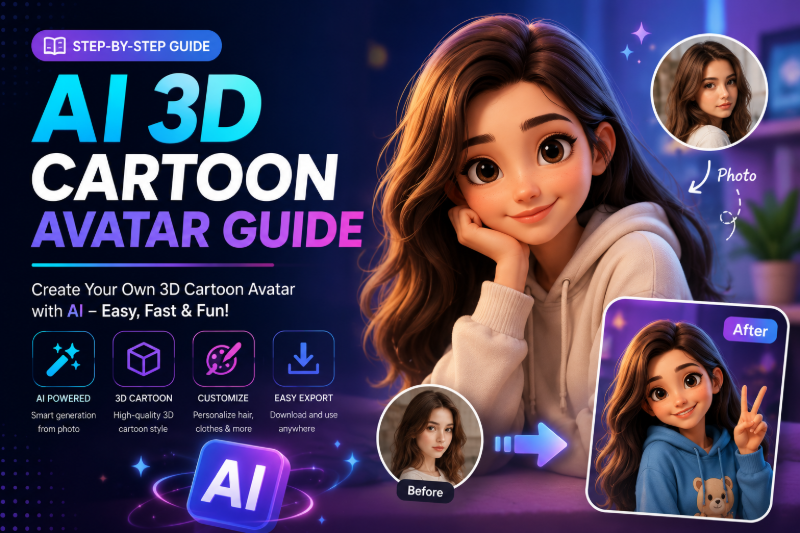
Not every stylized avatar needs to look anime. 3D cartoon avatars — think Pixar, Disney, or mobile-game character style — use rounded forms, studio lighting, and expressive eyes that pop on profile pages and gaming platforms.
On FunMedia, you create 3D cartoon looks with image-to-image style transfer and templates — upload a selfie, pick a 3D preset or prompt, and download a profile-ready avatar. This guide focuses on 3D/Pixar cartoon styles, not Japanese anime — for anime specifically, see our AI Anime Style Avatar guide.
What Is a 3D Cartoon AI Avatar?
A 3D cartoon avatar re-renders your photo with:
- Rounded geometry — soft cheeks, slightly enlarged eyes, smooth skin
- Studio lighting — key light, fill, subtle rim — like animated film characters
- Clean materials — skin subsurface glow, hair clumps, fabric folds simplified
- Expressive features — friendly, approachable look for social and gaming
This differs from anime avatars (flat cel-shading, Japanese aesthetic) and from painterly style transfer (oil, watercolor). For general style options, see AI Photo Style Transfer Guide.
3D Cartoon vs Anime vs Realistic — Quick Comparison
| Style | Look | Best for |
|---|---|---|
| 3D cartoon / Pixar | Rounded, studio-lit, Western animation | LinkedIn fun, gaming, family profiles |
| Anime | Flat shading, large eyes, Japanese influence | TikTok, Discord, fan communities |
| Painterly | Brushstrokes, artistic texture | Print art, creative portfolios |
How to Turn a Photo into a 3D Cartoon Avatar
- Open the FunMedia Image Generator and sign in.
- Switch to image-to-image and upload a clear front-facing selfie.
- Browse templates for 3D or cartoon presets — see our AI Image Templates Guide.
- Or paste a custom 3D style prompt (examples below).
- Submit, review in My Library, download square (1:1) for profile use.
- Optional: animate on the Video Generator — see Animate Profile Picture with AI.
3D Cartoon Avatar Prompt Examples
Use these as style descriptions when uploading your photo:
- "Pixar-style 3D cartoon portrait, soft studio lighting, friendly smile, clean gradient background, high detail render"
- "Disney animation character style, warm key light, expressive eyes, smooth skin, family-friendly 3D avatar"
- "Mobile game hero avatar, stylized 3D armor, bold colors, fantasy RPG character portrait"
- "Cute chibi 3D character, oversized head, pastel palette, kawaii game mascot style"
- "Professional 3D cartoon headshot, business casual, subtle smile, LinkedIn-friendly stylized portrait"
- "Claymation stop-motion texture, handmade feel, warm earthy tones, creative artist avatar"
More copy-paste prompts in 50 AI Image Prompt Examples — Section 3 includes 3D avatar ideas.
Upload Requirements
- Formats: JPEG and PNG (JPEG recommended)
- Size: Up to 6 images, 15MB each
- Resolution: Max 4096×4096
- Aspect ratio: 1:1 square ideal for profile pictures; range 1:3 to 3:1 supported
Best Use Cases for 3D Cartoon Avatars
- Social profiles — stand out on LinkedIn, Twitter/X, and Facebook with a friendly stylized look
- Gaming & Discord — custom character icon without commissioning a 3D artist
- Family & kids content — wholesome cartoon versions of family photos
- Brand mascots — founder or team member as approachable 3D spokesperson
- Animated intros — stylize still, then image-to-video for stream or channel bumper
From 3D Avatar to Animated Clip
Static 3D avatars are great — animated ones get more engagement. Pipeline:
- Generate 3D cartoon still on Image Generator
- Upload to Video Generator
- Motion prompt: "3D cartoon character gentle blink and smile, subtle head bob, loop-friendly idle animation"
- Export 6-second loop for profile video slots
Tips for Better 3D Results
- Start with templates — 3D presets are pre-tuned; customize prompt after first result
- One person per photo — group shots confuse facial stylization
- Retry with prompt optimizer off — when template + short prompt already works well
- Match platform crop — generate square, then crop circle for Discord if needed
- A/B test styles — Pixar vs chibi vs claymation on the same selfie
Points & My Library
Image tasks cost points per generation. Failed tasks refund automatically. All avatars save to My Library. Need more credits? See Pricing.
FAQ
Is this the same as anime avatar?
No. 3D cartoon/Pixar styles use rounded 3D rendering. Anime uses flat cel-shading and Japanese aesthetics — see our Anime Avatar guide.
Will it still look like me?
Image-to-image preserves general face structure, but 3D stylization changes proportions. Lighter prompts keep more likeness; heavy cartoon prompts trade likeness for style.
Can I use 3D avatars commercially?
Check our Terms of Service before using outputs in ads, merchandise, or client work.
Do I need a text prompt if I use a template?
Templates apply preset settings. Adding a short style line (e.g., "Pixar lighting, blue background") gives extra control.
Create Your 3D Cartoon Avatar
Upload a selfie, pick a 3D template or prompt, and download a profile-ready cartoon avatar. Open the FunMedia AI Image Generator and try it today.