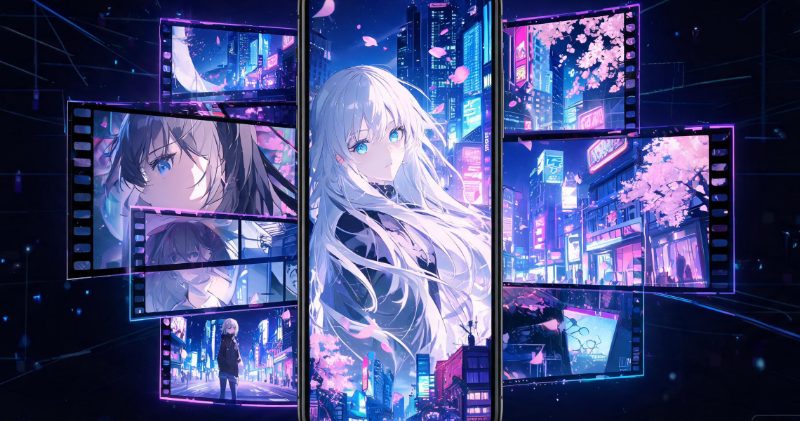
Anime-style vertical dramas — AI 漫剧 or "animated mini-series" — are exploding across TikTok, YouTube Shorts, and drama apps. Viewers follow illustrated characters through serialized plot twists, and the format doesn't require a camera, a cast, or animation software. An AI anime drama generator turns written scenes into animated episodes from text prompts and stylized character art.
This guide is anime-drama specific: designing a cast, keeping characters consistent episode to episode, and animating scenes on FunMedia. For live-action-style vertical dramas, see our AI Short Drama Generator guide; for general workflows, see the AI Video Generator Guide.
Why AI Is Perfect for Anime Dramas
- No drawing skills needed — AI image styles (Anime, 3D Cartoon) produce cast-ready character art from text
- No animation software — image-to-video animates stills with motion prompts; text-to-video generates full scenes
- Serialized output at speed — one episode (8–15 shots) can be produced in a single evening
- Stylized visuals hide AI limits — anime aesthetics are more forgiving than photorealism
- Series IP value — recurring characters and cliffhangers build a returning audience
Anime Drama Format Checklist on FunMedia
| Setting | Anime drama recommendation |
|---|---|
| Aspect ratio | 9:16 vertical — matching the drama-app feed |
| Clip length | 6s per shot; 10s (768P) for dialogue and emotional beats |
| Resolution | 768P for drafting the full episode; 1080P (6s) for finals |
| Visual style | Pick one style word and reuse it in every prompt — "anime style" or "3D cartoon style" |
| Episode structure | Hook in second one, escalate, end on cliffhanger before the payoff |
Step-by-Step: Produce an AI Anime Drama Episode
- Write the beat sheet — 8–15 one-line shots for episode one, ending on a cliffhanger.
- Design the cast — open the AI Image Generator and generate each character with the Anime style; describe hair, eyes, outfit, and personality.
- Save anchor images — pick one frame per character as the official look; these anchor the whole series.
- Generate establishing art — create key locations (classroom, palace, neon street) as stills in the same style.
- Animate scenes — upload anchors and backgrounds for image-to-video with motion-only prompts, or describe full scenes with text-to-video.
- Draft at 768P — generate every shot at 6s or 10s and review in My Library.
- Edit the episode — stitch shots in CapCut, add subtitles, voiceover, music, and sound effects.
- Upgrade hero shots to 1080P — regenerate the opening hook and cliffhanger at maximum quality.
- Publish — upload the vertical episode to TikTok, Shorts, Reels, or drama apps.
Character Consistency Across Episodes
Consistency is what turns clips into a series. Three techniques that work on FunMedia:
- Anchor-image pipeline — one fixed portrait per character, uploaded for every image-to-video shot. The image carries identity; the prompt carries action: "She turns sharply, hair sweeping, eyes narrowed, wind blowing petals"
- Fixed cast descriptions — reuse the exact same character sentence in every text-to-video prompt, word for word
- Style transfer — generate a photorealistic reference, then convert it to anime for a consistent look; see Avatar to Anime and AI Photo Style Transfer Guide
For cast design inspiration, browse AI Anime Avatar styles and the 3D Cartoon Avatar Guide — both work as drama protagonists.
Anime Drama Prompt Patterns by Shot Type
Opening hook
"Anime style, silver-haired transfer student enters classroom, wind blows open the door, everyone stares, cherry blossoms outside"
Emotional close-up
"Anime style, close-up of girl holding a torn letter, tears forming, soft rain on window, warm lamp glow, cel shading"
Power reveal
"Anime style, quiet student's eyes glow blue as ancient marks appear on his arm, papers swirl in the air, dramatic energy"
Chase / conflict
"Anime style, girl in school uniform running through neon night market, lanterns streaking past, dynamic camera, motion blur"
Cliffhanger reveal
"Anime style, door slides open revealing a shadowed figure with glowing red eyes, sakura petals freeze mid-air, episode-end shot"
Anime Drama Ideas by Genre
Cultivation / rebirth
Humiliated heir awakens a golden dragon mark, energy aura erupting — the most bingeable cliffhanger format.
Sweet campus romance
Shared umbrella under sakura rain, shy glance, note passed in class — soft pastel palette, gentle motion.
Isekai / fantasy
Office worker pulled through a glowing portal into a floating kingdom, cape unfurling, epic scale.
Supernatural mystery
Shrine gates at midnight, paper talismans glowing, spirit silhouettes in fog — cold tones, slow push-ins.
Esports / gaming
Pro player's screen reflects a winning combo, arena lights exploding, crowd roar implied with effects.
Common AI Anime Drama Mistakes
- Mixing styles between shots — one shot cel-shaded, the next 3D breaks immersion; lock your style bible
- Characters that change faces — always use anchor images for image-to-video instead of re-describing looks
- Overstuffed shots — a 6s clip holds one action; split fights and flashbacks into multiple clips
- No episode-end hook — animated dramas live on cliffhangers; end before the reveal
- Skipping subtitles — most viewers watch muted; burn in dialogue
- Publishing 768P drafts — finals deserve 1080P, especially the hook and cliffhanger
Points & Series Production Tips
Video tasks cost points by resolution and duration, and failed tasks refund automatically — so iterating scenes is low-risk. Still-image cast design on the image side costs far fewer points than video, which is why the anchor-image pipeline is the budget-friendly way to produce anime dramas.
Episode economics: draft all shots at 768P, lock the edit, regenerate only the hook and cliffhanger at 1080P. A 12-shot episode typically needs 2–4 regenerations. See Pricing for credit packages, and the Image Templates Guide to speed up cast creation.
FAQ
Do I need drawing or animation skills?
No. Characters come from AI image styles, and motion comes from text-to-video or image-to-video prompts. Editing (stitching, subtitles, voiceover) happens in free tools like CapCut.
How long is one anime drama episode?
Most vertical anime dramas run 60–90 seconds: 8–15 AI clips of 6–10 seconds each, stitched with dialogue and music.
Will my character look the same in every scene?
Yes, if you use the anchor-image pipeline: one fixed portrait per character uploaded for image-to-video, plus a fixed style bible line in every prompt.
What image specs work for image-to-video?
JPG/PNG/WebP, max 20MB, short side > 300px, aspect ratio 2:5 to 5:2. Vertical 9:16 matches the format best.
Can I monetize an AI anime drama series?
Serialized AI-assisted animation is allowed on major short-video platforms with AI-content disclosure. Review our Terms of Service and each platform's rules before monetizing.
Start Your AI Anime Drama Today
Design your cast, write episode one's beat sheet, and animate the first scene tonight. Open the FunMedia AI Anime Drama Generator and launch your animated series.