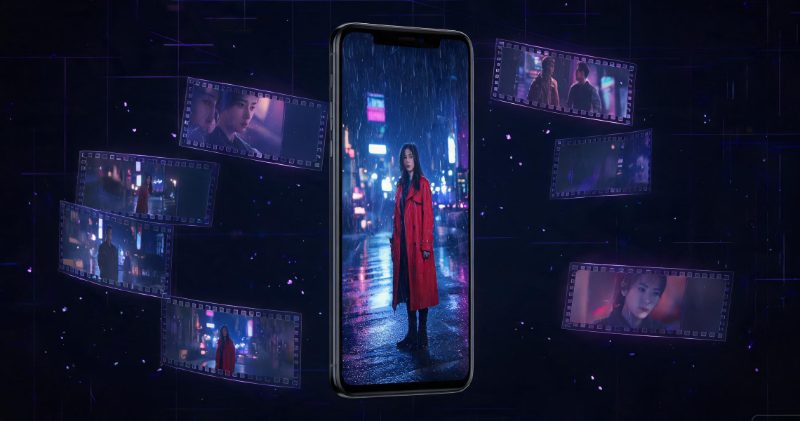
Vertical mini-dramas are one of the fastest-growing content formats — cliffhanger-driven stories told in 9:16, one scene at a time. An AI short drama generator lets you produce those scenes from text prompts or still images, so you can test story ideas in hours instead of shoot days.
This guide is short-drama specific: episode structure, scene-by-scene generation, and keeping characters consistent across shots. For general workflows, see our AI Video Generator Guide; for more copy-paste prompts, see AI Video Prompt Examples. Everything here runs on the FunMedia AI Video Generator.
Why Use AI for Short Drama Production?
- No cast, no set, no camera — a written scene becomes a moving shot with text-to-video
- Test episodes cheaply — generate 768P drafts of every scene before committing points to 1080P finals
- Fast iteration — rewrite a scene that doesn't land and regenerate it in minutes
- Repurpose stills — character art, posters, or storyboard frames become motion with image-to-video
- Multiple series at once — one creator can run romance, thriller, and fantasy shows in parallel
Short Drama Format Checklist on FunMedia
| Setting | Short drama recommendation |
|---|---|
| Aspect ratio | 9:16 vertical — full-screen framing is the format's signature |
| Clip length | 6s per shot; 10s (768P) for dialogue-heavy or two-beat scenes |
| Resolution | 768P while scripting and editing; 1080P (6s) for published finals |
| Scene pacing | One action per clip — stitch 8–15 shots into a 60–90s episode in your editor |
| Hook | Open each episode mid-conflict, never with establishing shots |
Step-by-Step: Produce an AI Short Drama Episode
- Write the beat sheet — list 8–15 one-sentence shots: who, where, what happens.
- Define your cast — write one fixed character description line you'll reuse in every prompt (age, hair, outfit, vibe).
- Sign in at the FunMedia Video Generator.
- Generate each shot — paste the character line + scene action as your text-to-video prompt; keep one subject and one action per clip.
- Use Prompt Optimizer — if a prompt is one short line, enable it to add cinematic detail automatically.
- Draft at 768P — 6s clips for standard shots, 10s for dialogue or emotional beats.
- Review in My Library — regenerate any shot that misses the mood before editing.
- Edit the episode — download MP4s, order shots in CapCut or your editor, add subtitles, voiceover, and music.
- Regenerate hero shots at 1080P — the opening hook and cliffhanger deserve the sharpest quality.
- Publish — upload to TikTok, Reels, YouTube Shorts, or a mini-drama app with the vertical episode intact.
Character Consistency with Image-to-Video
Text alone can drift between shots. The fix: lock your character visually, then animate.
- Create the anchor — generate your lead character with the AI Image Generator (try Anime or 3D Cartoon styles for stylized series) and pick one frame as the official look.
- Animate the anchor — upload that portrait for image-to-video with motion-only prompts: "She turns toward the door, hair moving slightly, worried expression, cinematic lighting"
- Describe motion, not looks — the uploaded image carries the identity; your prompt carries the action.
- Keep a cast folder — one anchor image per character, reused across every episode for a consistent series.
For portrait-to-video basics, see Animate Profile Picture with AI.
Drama Prompt Patterns by Shot Type
Opening hook
"Young woman in a red coat slams a door, rain visible through the window, tense close-up, cinematic 9:16"
Emotional beat
"Close-up of hands holding an old letter, trembling slightly, warm lamp light, shallow depth of field"
Conflict / confrontation
"Two silhouettes facing each other in a neon-lit alley, slow push-in, dramatic shadows, thriller mood"
Reveal (cliffhanger)
"Door slowly opens into a room full of candles, camera moves forward, mysterious glow, final shot"
Transformation (fantasy/rebirth plots)
"Ordinary office worker glows and transforms into a warrior in armor, swirling golden particles, epic reveal"
Short Drama Ideas by Genre
CEO romance
Slow-motion elevator door close, glass office reflections, hands almost touching — pair with voiceover subtitles in-app.
Revenge / rebirth
Character walks away from burning car, embers floating, unbroken stare into camera — strong episode-1 hook.
Supernatural thriller
Flickering hallway lights, mirror reflection moves independently, cold blue tones — cliffhanger every episode.
Sweet teen romance
Cherry blossom campus path, shared umbrella in rain, shy glance close-up — soft color grade for warm moods.
Period fantasy
Lantern-lit palace corridor, silk robes in wind, sword drawn in slow motion — stylized image anchors keep costumes consistent.
Common AI Short Drama Mistakes
- Slow episode openers — start mid-conflict; scrollers decide in one second
- Changing character descriptions mid-series — keep one fixed cast line and anchor images
- Complex multi-action prompts — a 6s clip can't hold a fight, a flashback, and a twist
- No subtitles — most vertical drama viewers watch muted; burn in dialogue
- Horizontal source images — crop character art to 9:16 before image-to-video upload
- Publishing drafts — 768P is for editing only; finals should be 1080P
Points & Production Workflow Tips
Each video task costs points by resolution and duration, and failed tasks refund automatically — safe for heavy scene iteration.
Episode workflow: generate all shots at 768P (6s or 10s), lock the edit, then regenerate only the hook and cliffhanger shots at 1080P. A 12-shot episode typically needs 2–4 regenerations, not 12. See Pricing for credit packages sized to series production.
FAQ
Can AI make a full short drama series?
AI generates the shots; you assemble episodes. Generate scenes as 6–10s clips, then stitch 8–15 of them into a 60–90s episode with subtitles, voiceover, and music in your editor.
How do I keep the same character across scenes?
Create one anchor portrait per character with the AI Image Generator, then use image-to-video with that portrait and motion-only prompts in every scene.
What image specs work for image-to-video?
JPG/PNG/WebP, max 20MB, short side > 300px, aspect ratio between 2:5 and 5:2. Vertical 9:16 matches the drama format best.
Is this format allowed on TikTok and Shorts?
Yes — 9:16 AI-assisted story clips work on TikTok, Reels, and YouTube Shorts. Review our Terms of Service for commercial usage.
Can I monetize AI short dramas?
Many creators run AI-assisted series on platform creator funds and mini-drama apps. Check each platform's AI-content disclosure rules before publishing.
Start Your First AI Short Drama
Write a 10-shot beat sheet, lock your cast with anchor images, and generate episode one tonight. Open the FunMedia AI Short Drama Generator and bring your story to the vertical screen.