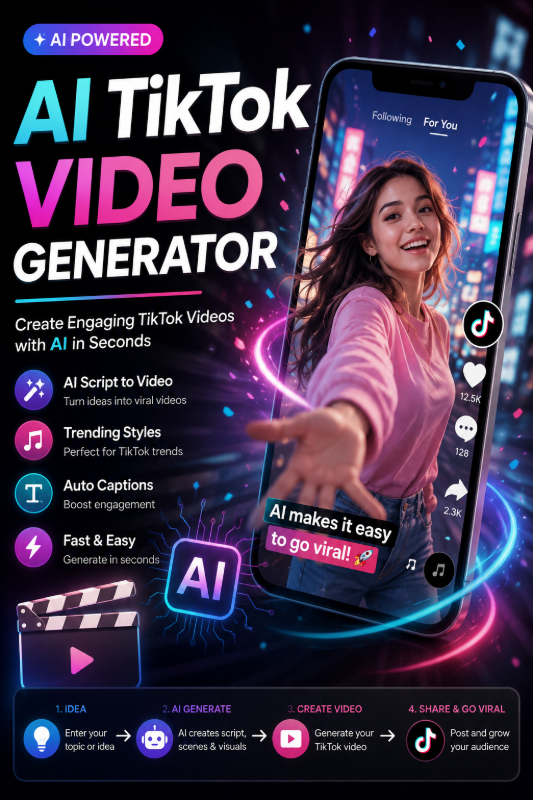
TikTok rewards speed — a strong hook in the first second, vertical framing, and loops that keep viewers watching. An AI TikTok video generator lets you produce those clips from text or a single photo, without filming or editing timelines.
This guide is TikTok-specific. For general video workflows, see our AI Video Generator Guide. For 50 copy-paste prompts, see AI Video Prompt Examples. Here we focus on what makes clips work on TikTok — and how to generate them on FunMedia.
Why Use AI for TikTok Videos?
- Post daily without a camera — text prompts become B-roll, hooks, and concept clips
- Test ideas fast — iterate 768P drafts before spending points on 1080P finals
- Repurpose stills — turn product photos or avatars into motion with image-to-video
- Fill content gaps — trend reactions, aesthetic loops, and storyboard previews
TikTok Format Checklist on FunMedia
| Setting | TikTok recommendation |
|---|---|
| Aspect ratio | 9:16 vertical — upload or crop source images vertically |
| Duration | 6 seconds — loops cleanly; use 10s (768P) for two-beat stories |
| Resolution | 768P for testing; 1080P (6s) for crisp paid or featured posts |
| Hook timing | Front-load action in the prompt — "instant zoom," "explosion reveal," "surprised cat" |
Text-to-Video for TikTok Hooks
Open the Video Generator, leave the image upload empty, and paste a hook-focused prompt. TikTok hooks need immediate visual action — not slow establishing shots.
Hook prompt patterns
- Reveal: "Curtain drops revealing glowing product, flash lighting, hype unboxing energy"
- Transformation: "Ordinary room morphs into neon gaming setup, fast magical transition"
- Oddly satisfying: "Perfectly stacked colorful macarons, macro slow motion, crisp ASMR visual"
- POV trend: "First-person walking through rainy Tokyo alley, neon reflections, handheld feel"
- Reaction bait: "Giant moon rising impossibly fast over city skyline, surreal scale, jaw-drop moment"
More examples in our 50 Video Prompt Examples — Section 1 is TikTok/Reels focused.
Image-to-Video for TikTok (Products & Avatars)
Already have a vertical photo? Upload it and describe motion only:
- Product TikTok: upload packshot → "Slow spin, studio lighting, subtle floating motion, ad-ready loop"
- Avatar TikTok: upload styled portrait → "Gentle blink and hair sway, kawaii idle loop, pastel background"
- Meme still: upload image → "Dramatic zoom in, shake effect, viral reaction energy"
Product sellers: read our Product Photo to AI Video guide. Profile loops: see Animate Profile Picture with AI.
Step-by-Step: Your First AI TikTok Clip
- Sign in at FunMedia Video Generator.
- Write a hook prompt (or upload a 9:16 image for image-to-video).
- Select 768P, 6 seconds for a quick test.
- Enable Prompt Optimizer if your prompt is one line.
- Generate, preview in My Library, download MP4.
- Upload to TikTok — add trending sound, text overlay, and CTA in-app.
- Regenerate winners at 1080P if you need sharper quality.
TikTok Content Ideas by Niche
Beauty & skincare
Product bottle with mist spray slow motion, golden particles, luxury glow — pair with before/after text overlay in TikTok.
Food & recipes
Cheese pull close-up, steam rising from bowl, satisfying pour — use AI clip as B-roll under voiceover.
Fitness & wellness
Silhouette runner at sunrise, dynamic energy, motivational loop for gym account intros.
Tech & gadgets
Floating earbuds with screen glow pulse, sleek orbit camera — unboxing alternative without filming.
Creator & gaming
Neon cyber room, RGB lighting pulse, streamer background loop — generate once, reuse every stream.
AI TikTok vs Filming: When to Use Which
| Use AI video | Film yourself |
|---|---|
| Concept hooks, B-roll, product motion | Personal brand, talking-head, authenticity |
| Fast daily posting cadence | Deep storytelling with your face/voice |
| Visual trends without props | Real-world stunts and locations |
Best TikTok strategy: combine AI B-roll with your own voiceover or face cam — hybrid content often outperforms either alone.
Common TikTok AI Mistakes
- Slow openings — "sunrise over mountains" loses scrollers; start with action
- Horizontal source images — crop to 9:16 before image-to-video upload
- Over-complex prompts — one subject, one action, one mood per 6-second clip
- Skipping sound — TikTok algorithm favors trending audio; AI handles visuals only
- No CTA — add text overlay in TikTok: "Link in bio," "Part 2," or question hooks
Points & Workflow Tips
Each video task costs points by resolution and duration. Failed tasks refund automatically — useful when A/B testing hook prompts.
Batch workflow: generate 3–5 hook variants at 768P, post the best performer, then regenerate at 1080P for a pinned video or ad. See Pricing for credit packages.
FAQ
Does FunMedia post directly to TikTok?
No. Download from My Library and upload through the TikTok app or Creator Center.
What size should my source image be?
Vertical 9:16 works best. Upload specs: JPG/PNG/WebP, max 20MB, short side > 300px, aspect ratio 2:5 to 5:2.
Can I use AI TikTok clips in ads?
Review our Terms of Service before running Spark Ads or branded campaigns.
Reels and Shorts too?
Yes — same 9:16 vertical clips work on Instagram Reels and YouTube Shorts with minimal changes.
Create Your Next TikTok Clip
Write a hook, generate a 6-second vertical loop, add sound in TikTok. Open the FunMedia AI Video Generator and publish your next viral clip today.