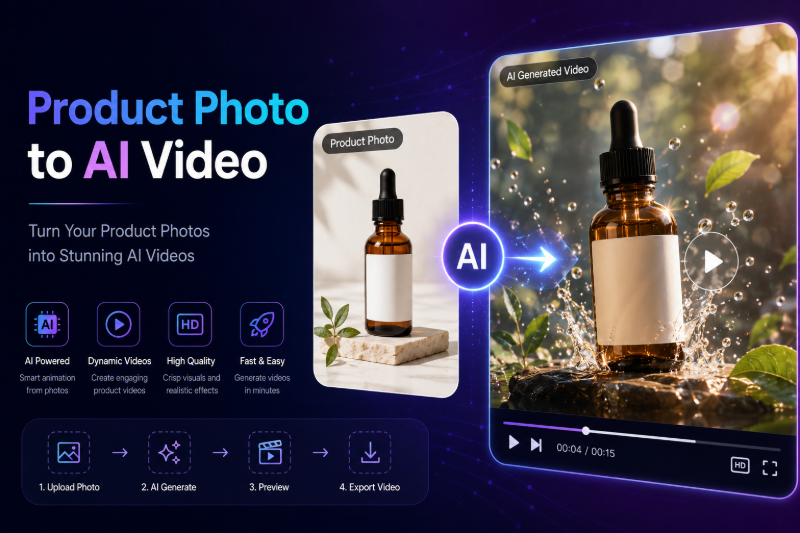
E-commerce sellers and DTC brands need video — but shooting product B-roll for every SKU is expensive and slow. Product photo to AI video workflows let you upload a single packshot or lifestyle still and generate a short motion clip for ads, product pages, and social feeds.
On FunMedia AI Video Generator, image-to-video animates your product photo with subtle camera movement, lighting shifts, or environmental effects — no video crew required. This guide focuses on product and marketing use cases, not general text-to-video tutorials.
Why Turn Product Photos into AI Videos?
- Higher engagement — video posts outperform static images on TikTok, Reels, and paid social
- Lower cost — one hero photo becomes multiple ad variants
- Faster launches — new SKUs get motion assets in minutes, not days
- A/B testing — try different motion prompts on the same product shot
For broader video generation concepts, see our AI Video Generator Guide. This article is specifically for sellers searching "product photo to video AI" or "AI product video generator."
What Makes a Good Product Photo for AI Video?
Image-to-video preserves your source composition. Start with a clean asset:
- Sharp focus on the product — avoid motion blur in the source
- Simple background — white, gradient, or uncluttered scene
- Good lighting — even exposure helps the model add believable motion
- Correct aspect ratio — vertical (9:16) for Reels/TikTok, square for feeds
Need a stylized product still first? Apply AI photo style transfer on the Image Generator, then animate the result.
Step-by-Step: Product Photo to AI Video
- Go to FunMedia Video Generator and sign in.
- Upload your product photo.
- Write a motion prompt describing how the scene should move (see examples below).
- Choose 768P (drafts, 6s or 10s) or 1080P (final ads, 6s).
- Enable Prompt Optimizer if your prompt is short.
- Submit, preview in My Library, download for your ad manager or storefront.
Motion Prompts for Product Videos
Unlike text-to-video, product image-to-video prompts should describe movement and camera, not reinvent the product.
Examples by product type
- Skincare bottle: "Slow 360-degree orbit, soft studio lighting, gentle condensation droplets, premium commercial look"
- Sneakers: "Subtle floating rotation, dynamic shadow on white background, energetic product reveal"
- Food & beverage: "Steam rising slowly, warm golden light, shallow depth of field, appetizing close-up"
- Tech gadget: "Sleek push-in camera move, screen glow pulse, minimalist dark backdrop"
- Jewelry: "Sparkle highlights, slow macro pan, luxury lighting, black velvet surface"
768P vs 1080P for Product Ads
| Setting | Best for | Duration |
|---|---|---|
| 768P, 6s | Quick TikTok hooks, story ads | 6 seconds |
| 768P, 10s | Product demos with two beats | 10 seconds |
| 1080P, 6s | Final paid social, Amazon video slots | 6 seconds |
Workflow tip: iterate at 768P until the motion feels right, then regenerate the winner at 1080P for production use.
Where to Use AI Product Videos
- TikTok & Instagram Reels — 6-second loops, vertical crop
- Facebook / Meta ads — square or vertical variants from the same source
- Product detail pages — autoplay hero on Shopify, WooCommerce, Amazon A+
- Email & landing pages — short GIF-like loops increase click-through
Repeatable E-commerce Content Pipeline
- Shoot or export one high-quality product photo per SKU
- Optional: Style transfer on Image Generator for seasonal campaigns
- Animate on Video Generator with 2–3 motion prompt variants
- Test clips in paid social, keep the best performer
- Store all outputs in My Library for reuse across channels
Points, Pricing & Reliability
Video tasks cost points based on resolution and duration. Failed tasks refund points automatically — useful when testing many prompt variants on one product photo.
Compare plans on our Pricing page. New users receive starter points to try image-to-video before committing.
FAQ
Can AI video replace professional product shoots?
AI video excels at motion from existing stills — ideal for supplements, not full replacements for complex demos or lifestyle shoots with models.
Will the product look distorted?
Subtle camera and lighting prompts produce the most reliable results. Avoid extreme action prompts on packshots.
Can I use these videos in paid ads?
Review our Terms of Service for commercial use before running campaigns.
Do I need text-to-video for products?
Most sellers start with image-to-video from real product photos. Text-to-video is better for conceptual scenes without a physical SKU photo.
Turn Your Next Product Photo into Video
Upload a packshot, write a motion prompt, and publish a product video today. Open the FunMedia AI Video Generator and animate your catalog — one photo at a time.